How does a Sydney plumber finally see which Google Ads clicks turn into paid jobs?
In short
ServiceM8 + CallRail offline conversions to Google Ads, built server-side with Stape and no Zapier. Every booked job and every paid invoice now goes back to Google Ads, matched to the original ad click, including jobs the team creates while the customer is still on the phone.
- Client
- Sydney emergency plumbing company (Australia)
- Stack
- CallRail, ServiceM8, Elementor, Google Tag Manager (web + server-side), Stape, Google Ads
What changed, at a glance?
- The click ID is saved within 2 seconds of a call starting. It used to arrive about 80 seconds after the call ended.
- Jobs created while the customer is still on the phone now reach Google Ads as Qualified Leads.
- Google Ads receives the real invoice value from ServiceM8, not a number typed by hand.
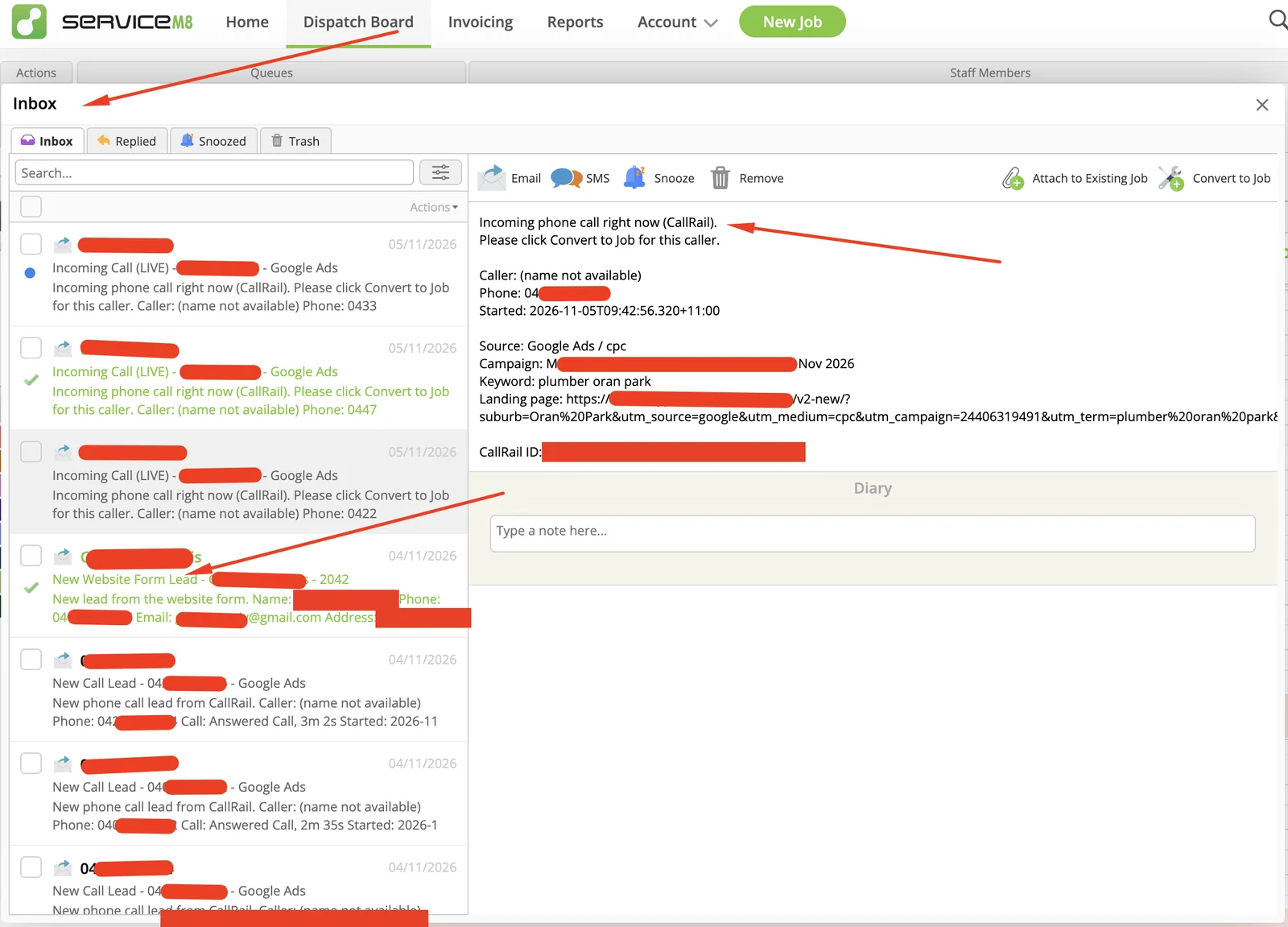
- Every lead, from calls and the website form, lands in the ServiceM8 Inbox with details pre-filled.
What was the problem?
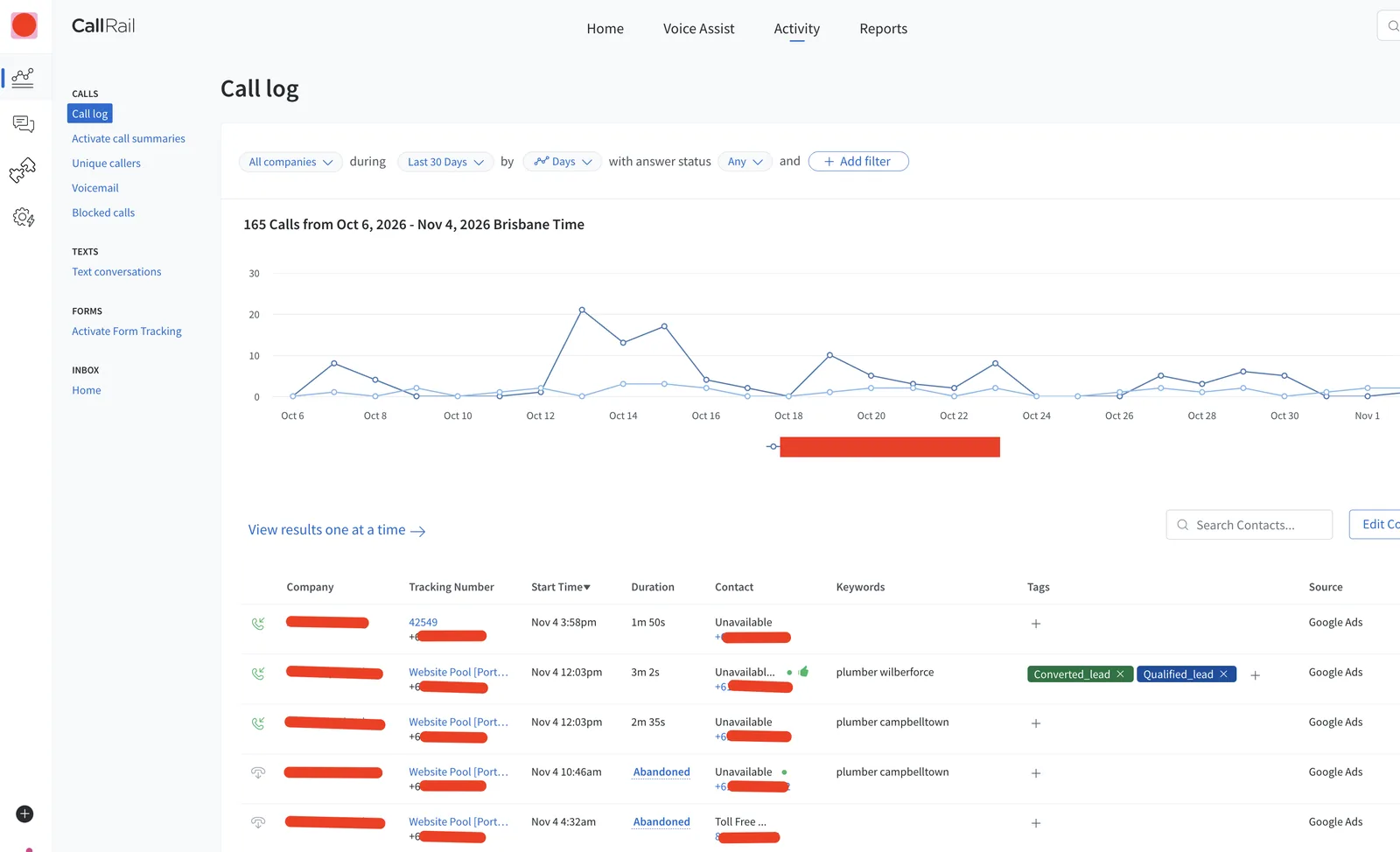
The business runs Google Ads for urgent plumbing jobs. Most leads call. Google Ads could see the call, but not which calls became booked jobs or how much each job was worth.
When I started, three things were broken:
- Old tracking had silently stopped. A site update in September broke the existing setup, and nobody noticed for weeks.
- Job values were guesses. Values were typed into CallRail by hand. One job was logged at $558 when the real invoice was $800.
- Fast teams lost their leads. This team books jobs while the customer is still on the phone. The click ID only arrived about 80 seconds after the call ended. By then the job already existed, and Google Ads received it without a click ID.
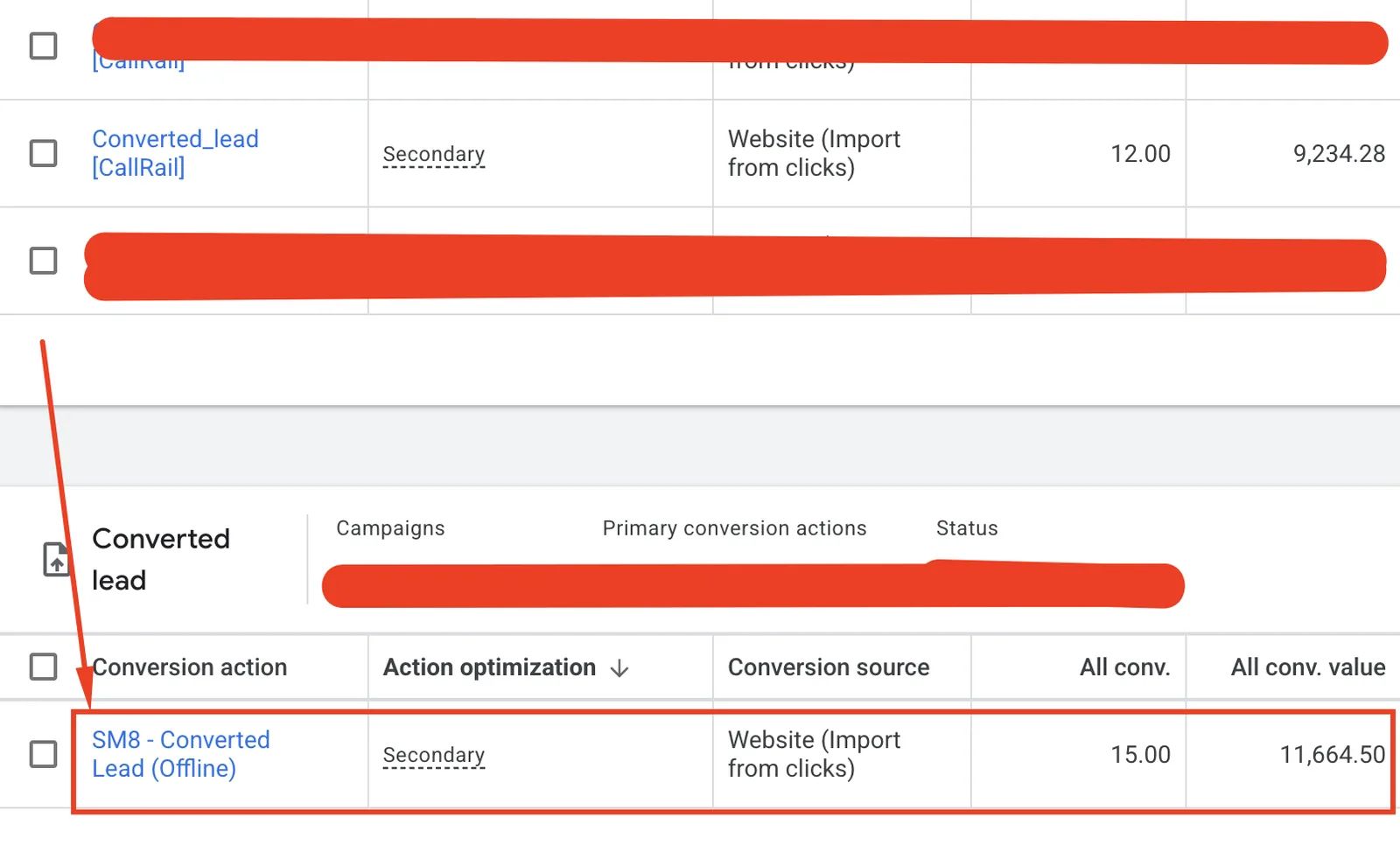
In one week, CallRail tagged 12 qualified calls. Google Ads matched only 2 booked jobs.
What did I build?
I built a server-side pipeline on a Stape server GTM container in Australia. No Zapier, no extra monthly tools, and every API key stays on the server.
- 1
Capture the click ID on the website
A small script keeps the gclid, gbraid, wbraid and UTMs for 90 days and fills them into the website form. CallRail stores them for calls.
- 2
Send every lead to the ServiceM8 Inbox the moment the call starts
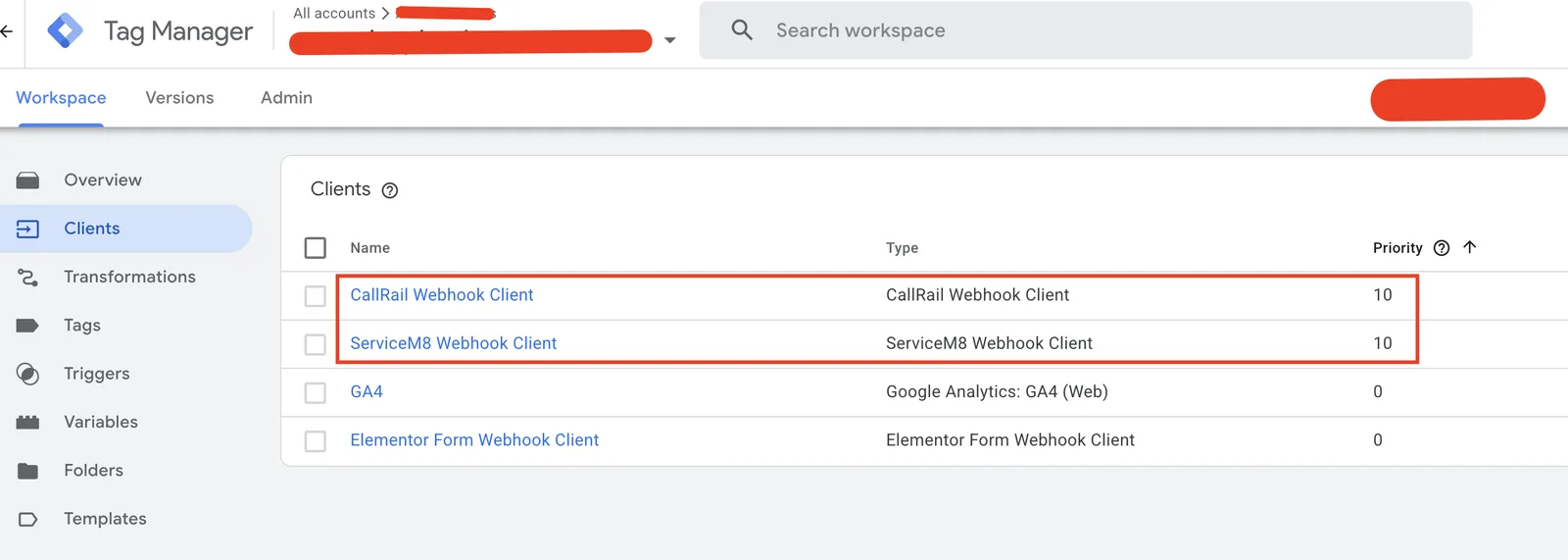
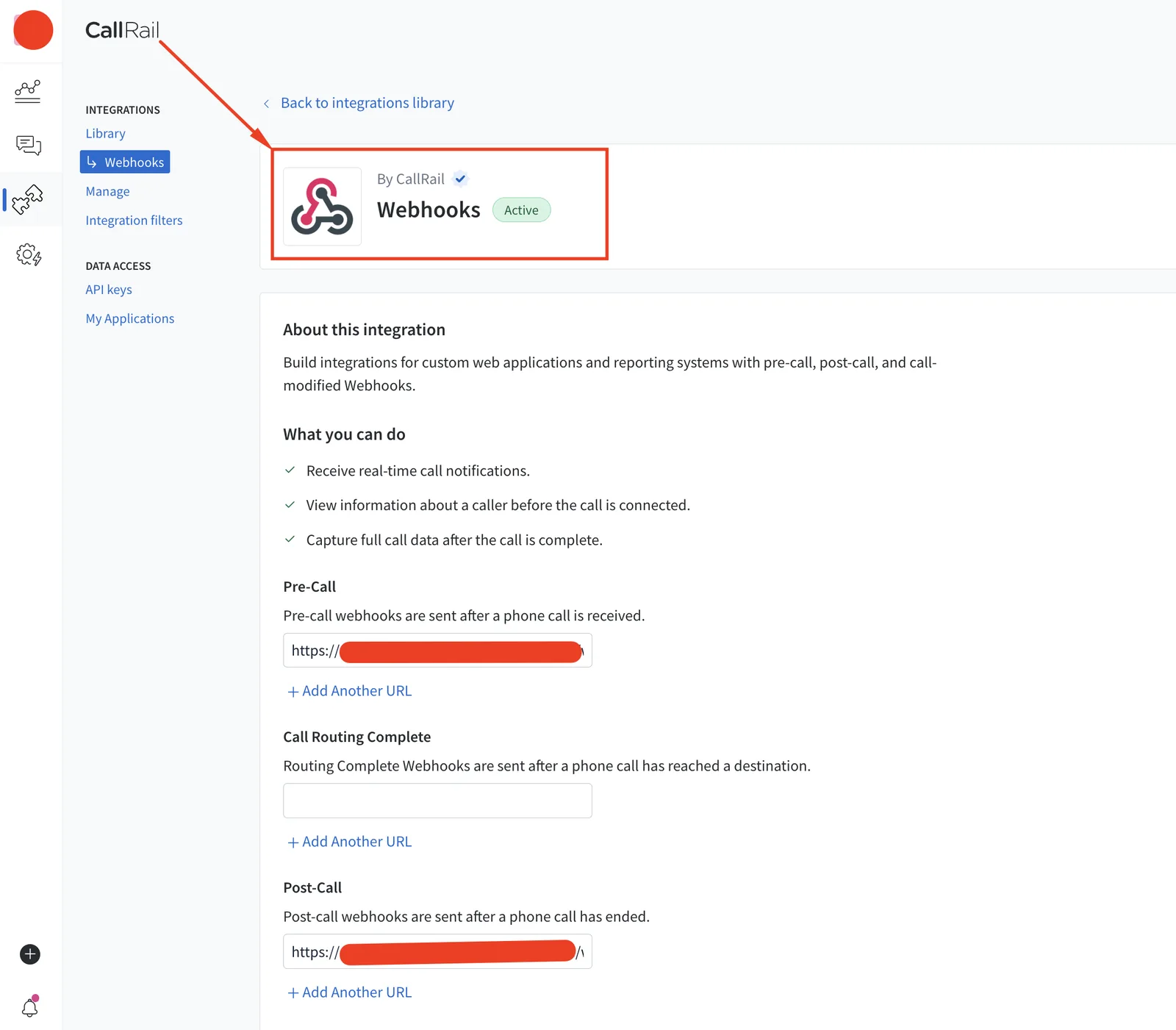
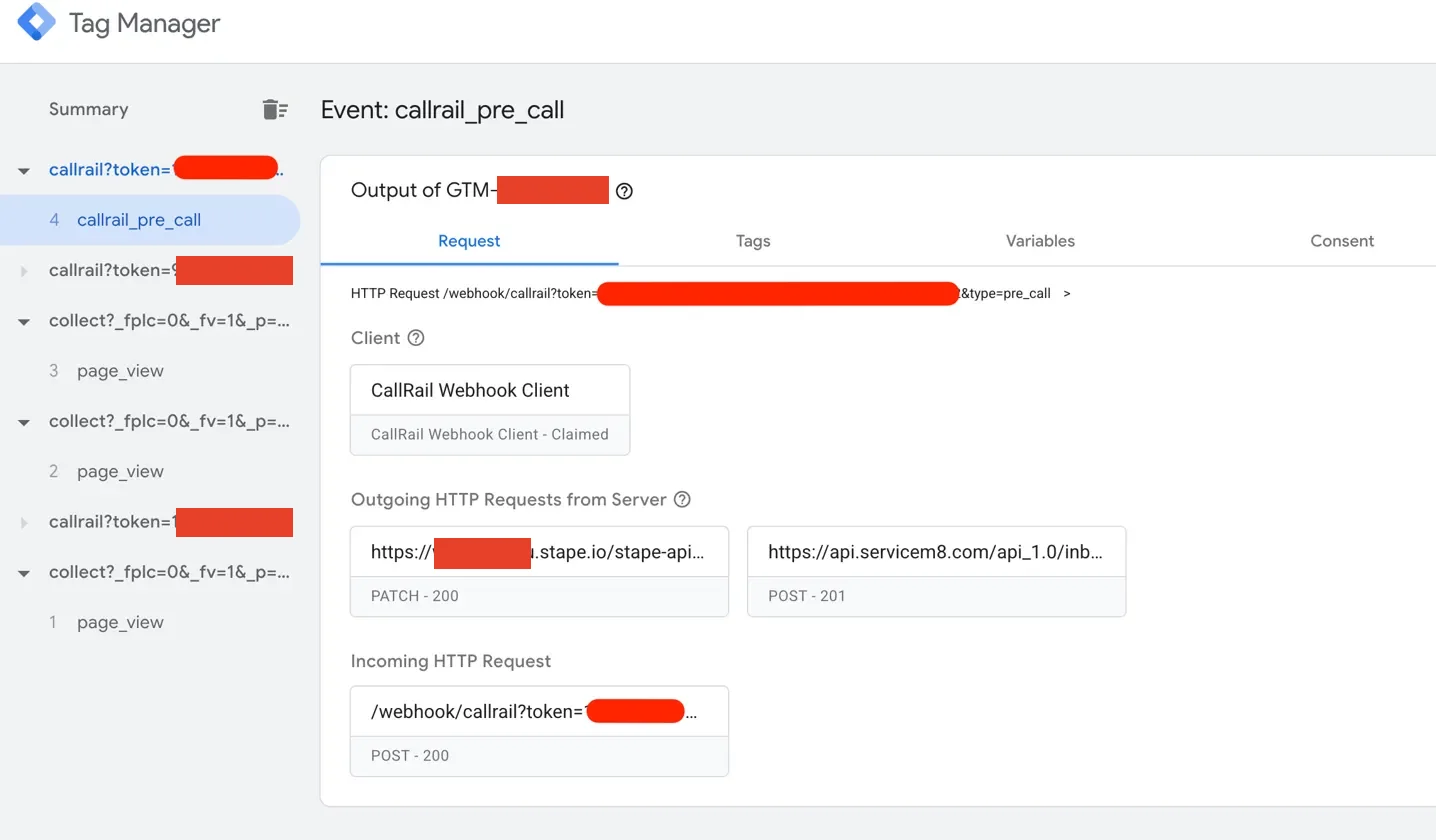
A custom CallRail client in server GTM receives the Pre-Call webhook. Within seconds the team sees an "Incoming Call (LIVE)" message in ServiceM8 and clicks Convert to Job while still talking to the customer. Website form leads arrive the same way, with name, phone, email and address already filled in.
- 3
Store the click ID by phone number
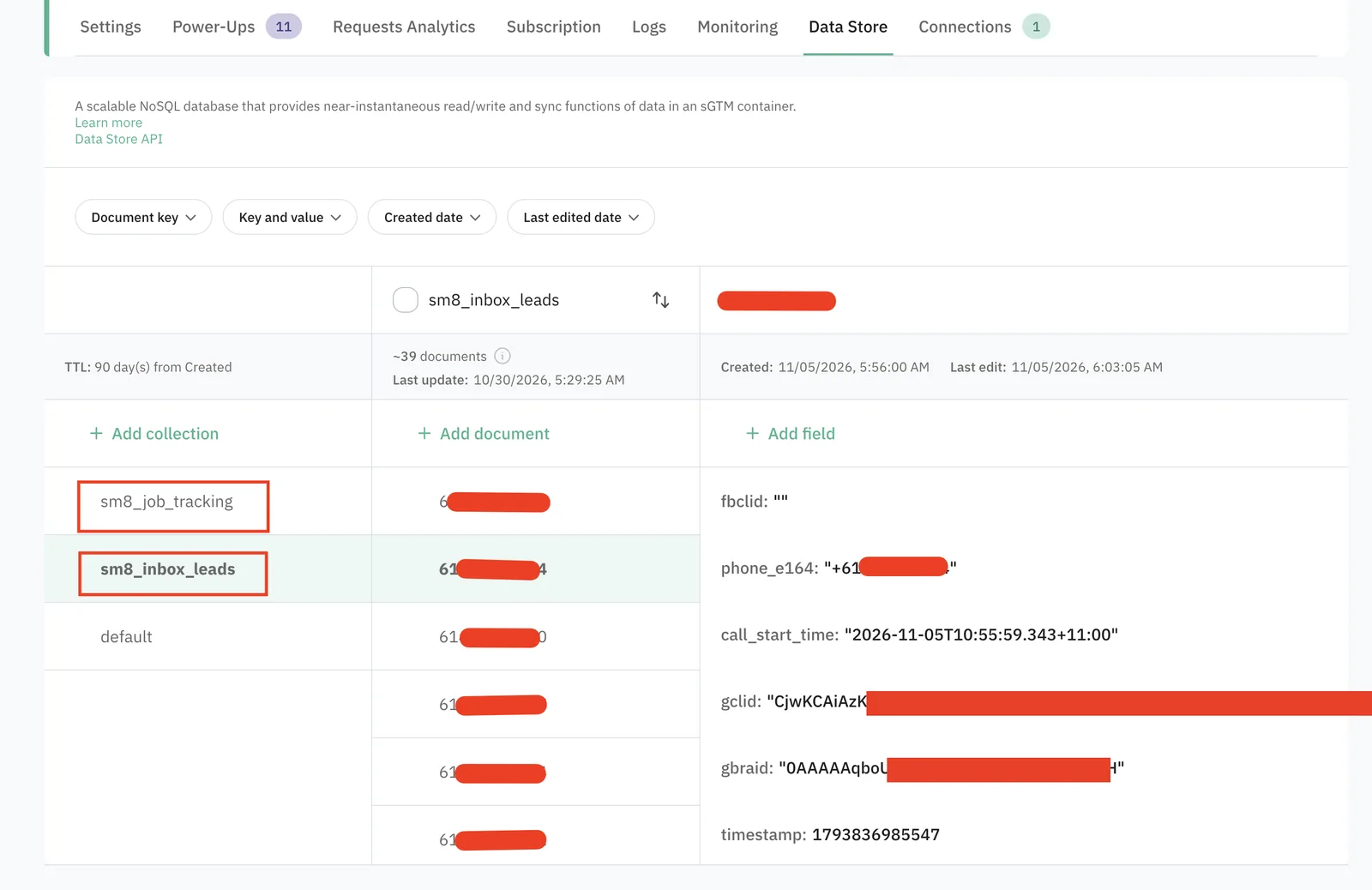
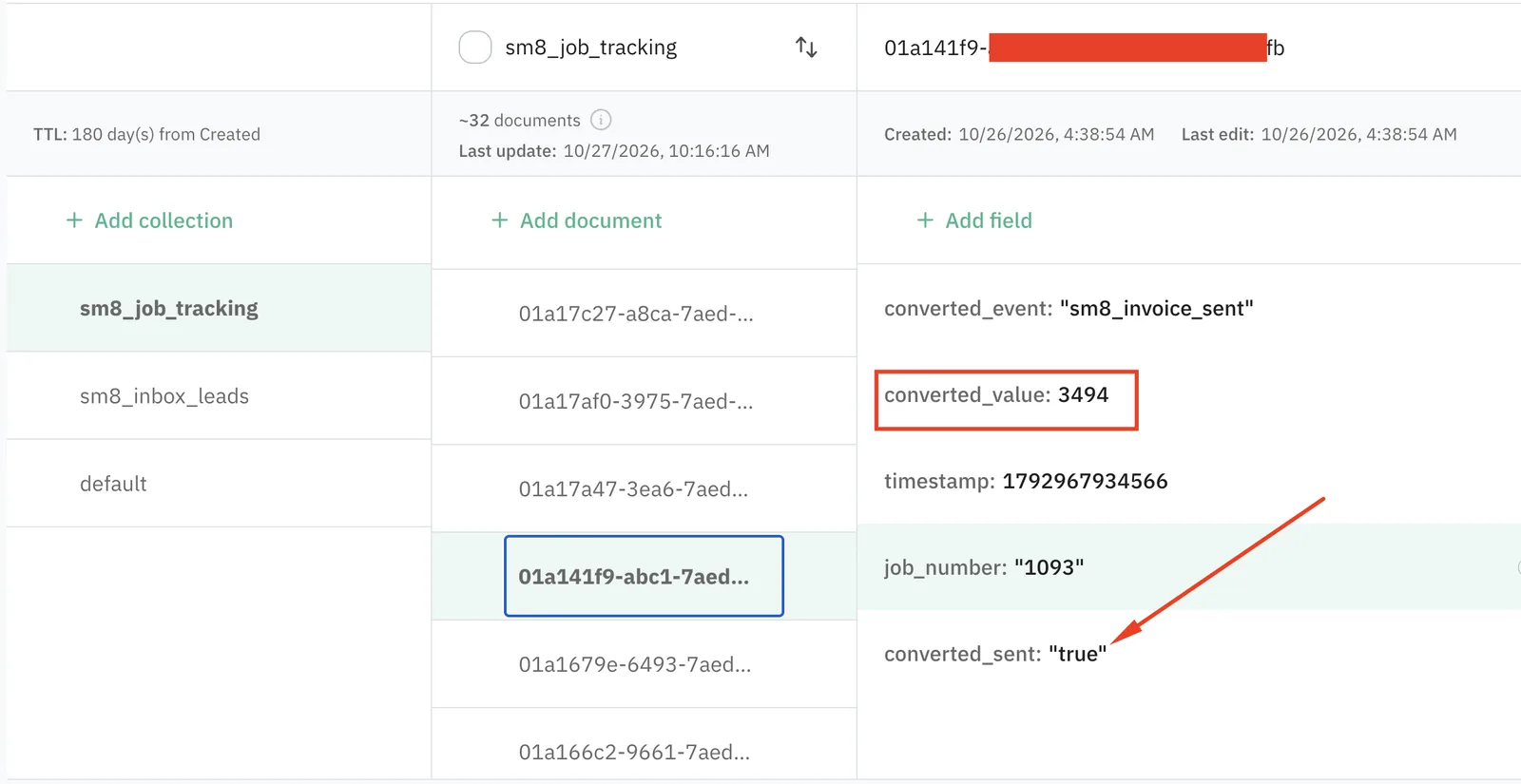
The call's click IDs are saved in Stape Data Store, keyed by the caller's phone number. Empty values never overwrite a good click ID.
- 4
Listen to ServiceM8 job events
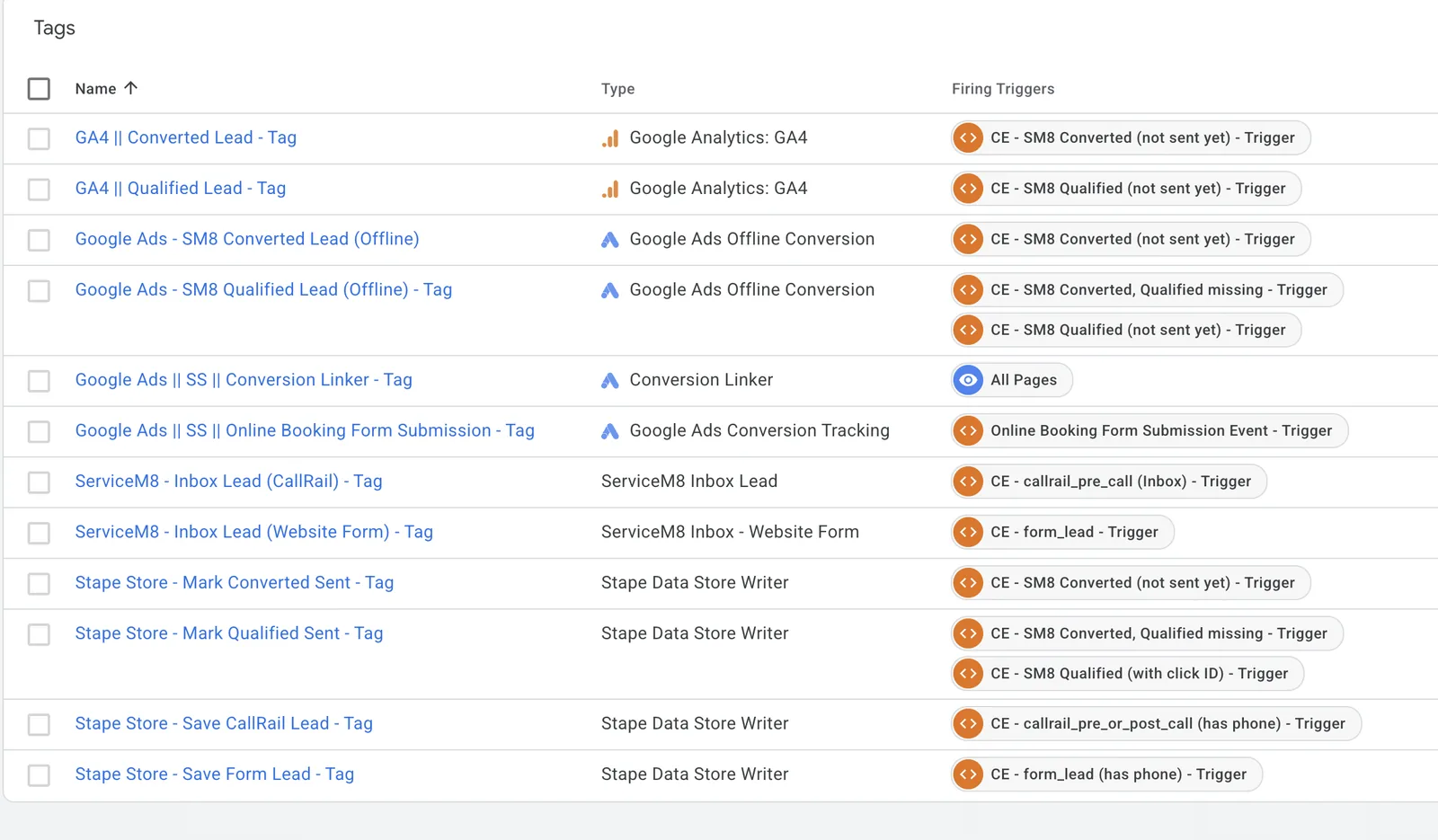
When a job is created, server GTM sends a Qualified Lead to Google Ads. When the job is completed or invoiced, it sends a Converted Lead with the real invoice total and the job ID as the order ID.
- 5
Never send twice, never lose one
Each job is marked as sent, so Google Ads never gets duplicates. A job is only marked once a click ID is present. If a job was created before the click ID existed, the Qualified Lead is sent again when the job is completed.
Why use the CallRail Pre-Call webhook instead of Post-Call?
Most CallRail integrations wait for the call to finish. For this team that was too late. They create the job in ServiceM8 during the conversation, so by the time a post-call webhook arrived, the job had already been sent to Google Ads with no click ID to match it to.
The Pre-Call webhook fires when the phone starts ringing. Saving the click ID at that moment means it is already waiting in the Data Store when the job is created, however quickly the team works.
What were the results?
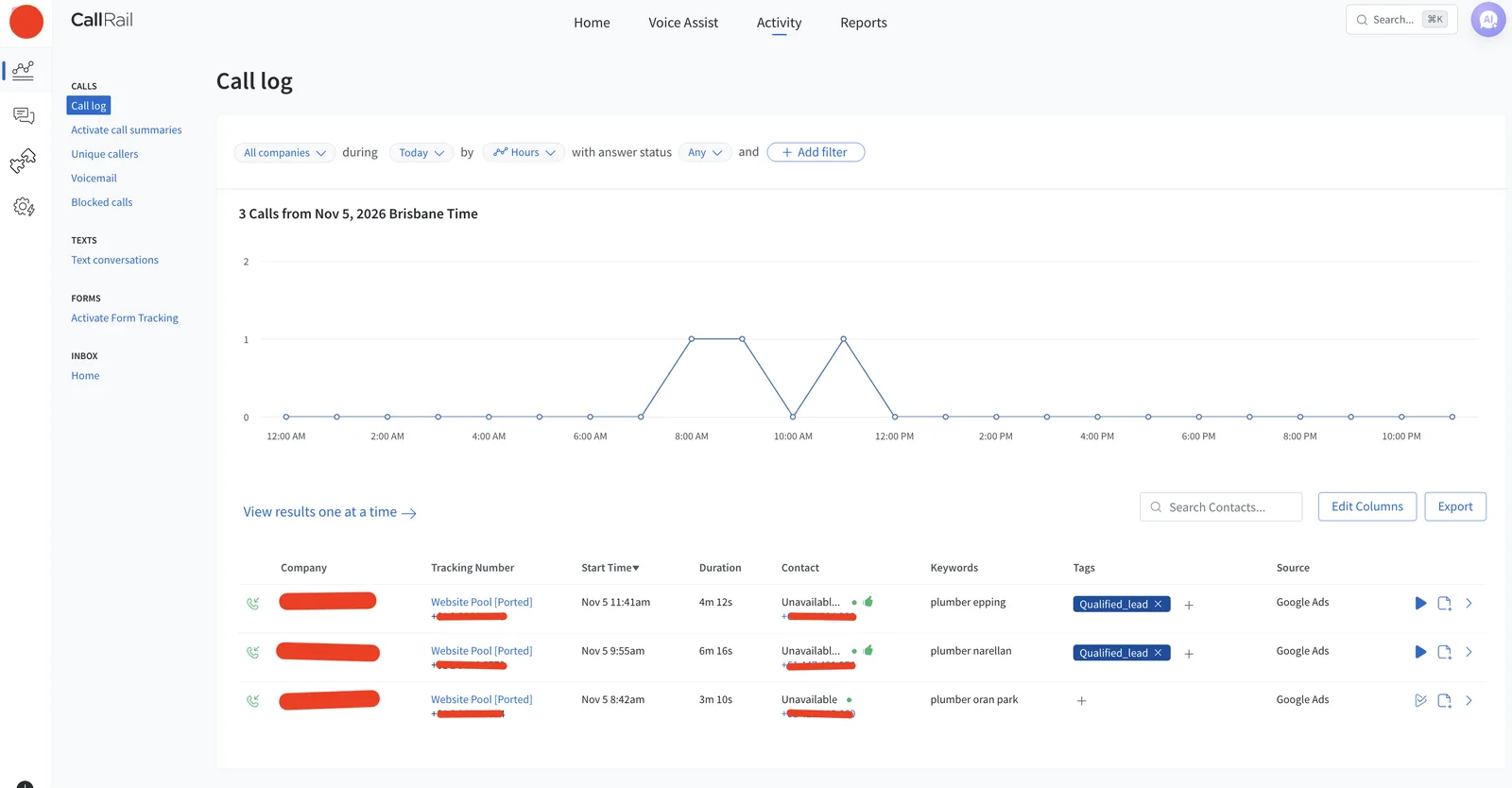
- On the first live day, two Google Ads calls had their click IDs saved 1 to 2 seconds after the phone started ringing.
- A job created 4 minutes into a call was sent to Google Ads as a Qualified Lead with the correct click ID. Before the fix, this lead would have been lost.
- Converted Leads carry the real invoice amount (including GST), so ROAS in Google Ads now reflects actual revenue.
- In the last 15 days, Google Ads recorded 15 SM8 Converted Leads worth 11,664.50 in real invoice value.
What else does the Stape container recover?
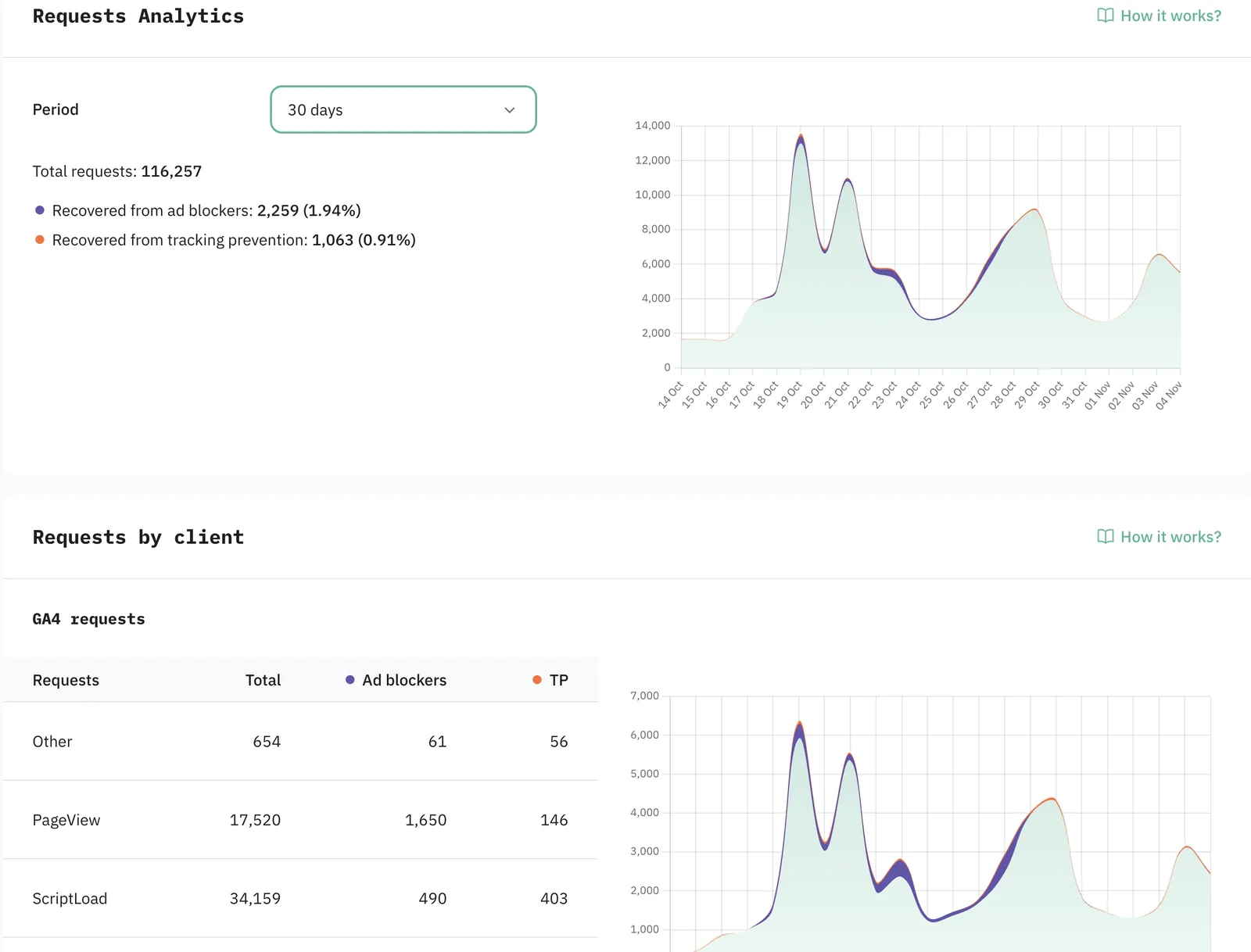
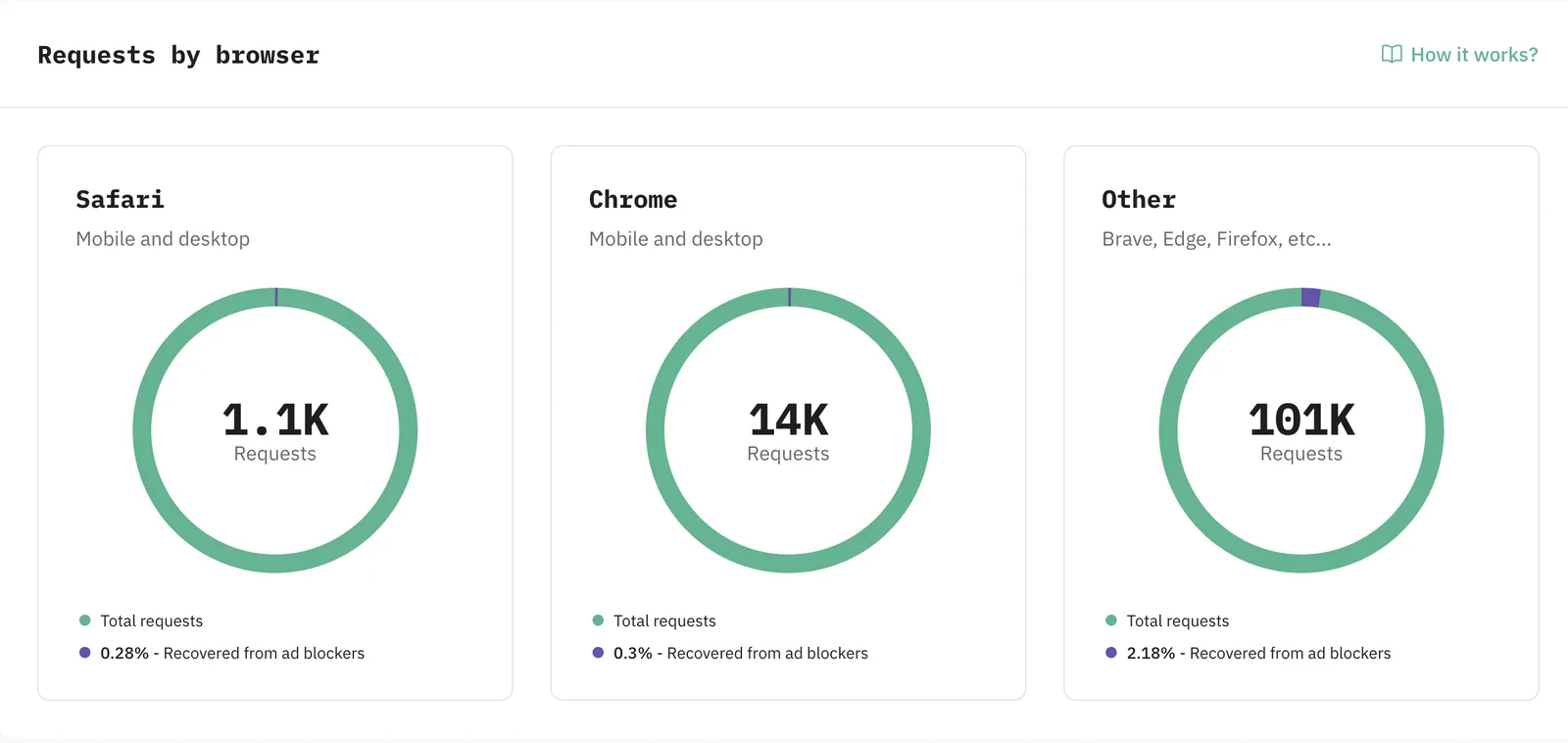
The website's tags run through the same first-party Stape container, so it also recovers browser requests that ad blockers and browser tracking prevention would otherwise stop.
Why does this matter?
Google Ads Smart Bidding can only optimise for what it can see. With booked jobs and real revenue flowing back, the account can now learn which keywords and suburbs bring paying customers, not just phone calls.
Can the same be built for other job management tools?
Yes. If you run Google Ads and book jobs in ServiceM8, Simpro, Tradify, Jobber, GoHighLevel or another CRM, the same idea applies: capture the click ID early, keep it with the lead, and send real jobs and revenue back to your ads from the server. A free tracking audit shows exactly where your conversions are leaking.
FAQ
Frequently asked questions
Why does Google Ads show fewer booked jobs than CallRail shows qualified calls?
Usually because the click ID never reaches the job. If the team books the job during the call and the click ID only arrives after the call ends, the job is sent to Google Ads without anything to match it to.
Do you need Zapier to send ServiceM8 jobs to Google Ads?
No. A server-side GTM container on Stape can receive CallRail and ServiceM8 webhooks directly and send conversions to Google Ads, with API keys kept on the server and no extra monthly automation tool.
How do you avoid duplicate conversions from ServiceM8?
Each job is marked as sent in a data store, and the ServiceM8 job ID is used as the order ID, so Google Ads never receives the same job twice.
Related
Want a setup like this for your account?
Send me a short note about your platforms and what is not being tracked.
Get in touch